Installation
The Rogue Point Modkit is available to all owners of the game via Steam. It is categorized as a Tool rather than a game.
- Open your Steam Library.
- Click the Filter icon (above the search bar) and ensure the Tools checkbox is selected.
- Search for “Rogue Point Modkit” in your list.
- Select Install.
Launching the Editor
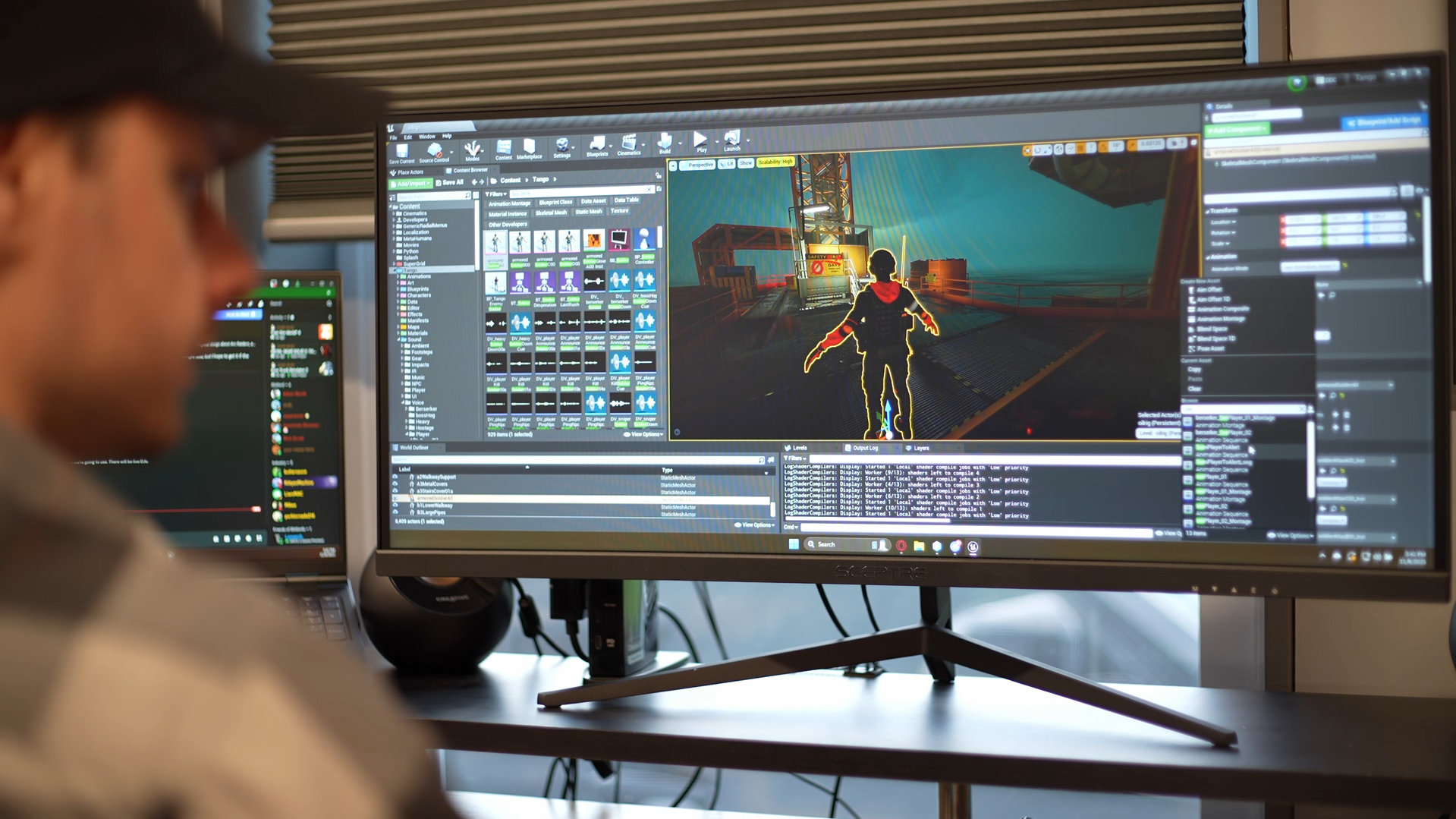
Once installed, click Launch from Steam.
- ▪Unreal Engine Requirement: On the first launch, if you do not have Unreal Engine 4.27 installed, the launcher will prompt you to download it.
- ▪Setup: After downloading and installing Unreal 4.27, launch the Modkit from Steam again.
- ▪Initialization: The first launch may take several minutes as the editor compiles shaders and initializes the project environment.
Creating a Mod
- Create a mod by hitting the Create Mod button in the editor.
- Fill out your mod details in the window that appears.
Mods will be treated as Pluginsby Unreal. Make sure they’re visible by enabling the Show Plugin Content view option in the Content Browser.
Creating a Level
- Navigate to your newly created mod folder in the Content Browser.
- Create your new Level in this folder. You can use the
tangoDefaultmap as a nice, clean template to work from that has all the basics.
Level Layout Intro
A map in Rogue Point typically has 8+ differently configured “Level Layouts” to support the different ways you can play a level across a campaign.
A Level Layout is an Actor which serves as the template for a designer-driven configuration within a map. It gets randomised according to parameters and rules defined within.
Within a map, you will have several Level Layouts. Each describes a unique configuration the map can take on, typically one which involves different sections of the level, and a set of rules for how to populate this version of the map in terms of spawns, enemies, objectives, etc.
A Level Layout has a specific difficulty it is configured for, and is of a specific Layout Type (more on this shortly).
Campaign Generation
Rogue Point’s campaign generation system creates the tree of the campaign when you click the Create Campaign button. Everything is pre-seeded and set up at this point. During this pass, the system creates the tree from the available pool of Level Layouts across the whole game. It generates a campaign according to the following rules (at the time of writing):
Phase Alpha
- ▪1 Easy Standard Level Layout OR 1 Medium Standard Level Layout [Bonus Skill]
- ▪1 Easy Strike Level Layout [Optional]
- ▪1 Easy Standard Level Layout OR 1 Medium Standard Level Layout [Bonus Skill]
Phase Bravo
- ▪1 of 2 Medium Raid Level Layouts
- ▪1 Medium Strike Level Layout [Optional]
- ▪1 Medium Standard Level Layout OR 1 Hard Standard Level Layout [Bonus Skill]
Phase Charlie
- ▪1 of 2 Hard Standard Level Layouts
- ▪1 Hard Strike Level Layout [Optional]
- ▪1 of 2 Hard Raid Level Layouts
Phase Zulu
- ▪1 Takedown Level Layout
Layout Types
A Level Layout within Rogue Point can be one of several different types. In a typical campaign, several types of Level Layouts need to be set up:
- ▪Standard: This is your typical Rogue Point map, which spawns a randomised set of Objectives according to the difficulty, and can be configured with optional Custom Objectives for a bit of variety. The Level Layout itself determines which Objective types it can spawn.
- ▪Strike: An optional bonus mission that appears on a campaign. The objective is just to kill all the Merx. These missions are usually short and sweet, often built around a gimmick (such as spawning only Heavies).
- ▪Raid:A Rogue Point campaign always includes 1 Medium difficulty Raid mission at the start of Phase Bravo and 1 Hard difficulty Raid mission at the end of Phase Charlie. A Raid mission is comprised of several designer-configured “waves” of Merx and various Custom Objectives that can be configured, and is intended to be slightly tougher and to inject a bit of spice into the campaign.
- ▪Takedown: The mission that ends a campaign (Phase Zulu). Players must defeat the 5 Star Merc Boss and complete the escape sequence to get to their final extraction.
The modSample map shows you all the types of Level Layouts you need to fully support a map in a Rogue Point campaign:
- ▪Easy: 1 Standard, 1 Strike
- ▪Medium: 1 Standard, 1 Strike, 1 Raid
- ▪Hard: 1 Standard, 1 Strike, 1 Raid
- ▪Takedown: 1 Takedown
Your First Layout
- Place a Level Layout Actor of the type you want (
BP_StandardLevelLayoutfor Standard,BP_StrikeLevelLayoutfor Strike, etc). - Configure that Level Layout’s basic parameters.
These parameters include:
- ▪Layout Metadata (such as Layout Name / Label, Difficulty)
- ▪Planning Screen (Camera, Layers, Areas/Meshes)
- ▪Player Spawn Areas
- ▪Objectives
- ▪Blockers
- ▪Merx Squad Spawns
- ▪Stash Rooms
- ▪Spectator Cameras
- ▪Player Extraction Areas
The rest of this documentation explains how to set up each part of the Level Layout — starting with the Manager system that underpins it all.